Browser extension
Minutes in your browser
This page always serves the newest build — v3.27.0. Takes about two minutes.
Installing for the first time
I already have it- 1
Download the zip
Use the button above and save it somewhere you can find again.
- 2
Unzip it into a folder you keep
You'll get a folder named minutes-web-tracker.
Keep it — the browser loads the extension from that folder.
- 3
Open your browser's extensions page
- 4
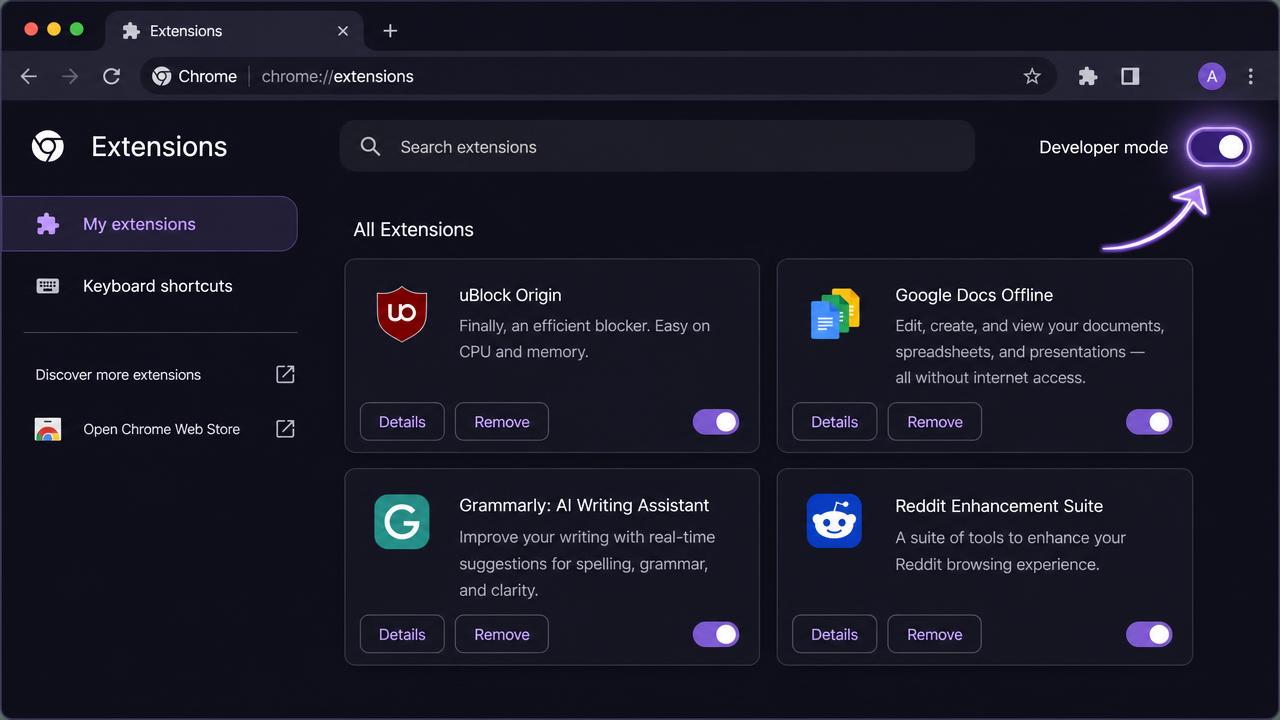
Turn on Developer mode
The toggle sits in the top-right corner. New buttons appear along the top.
On Edge it's in the bottom-left sidebar.
- 5
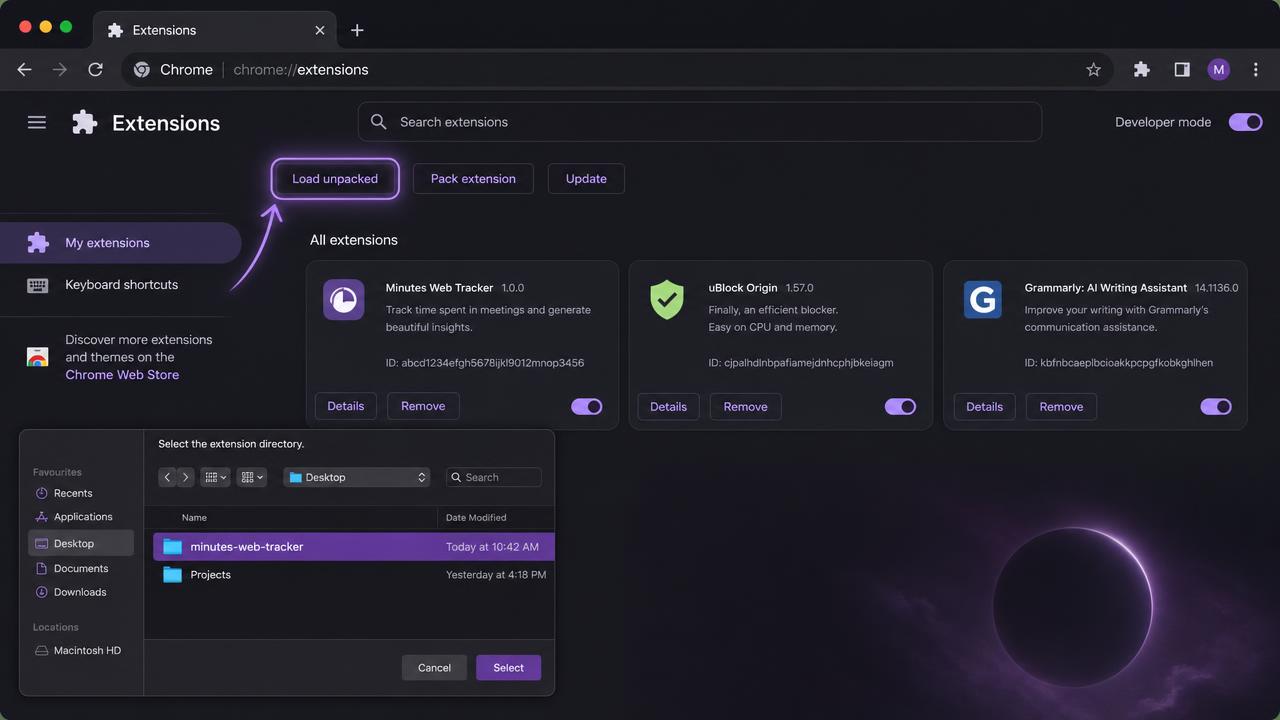
Click “Load unpacked” and pick the folder
Select the minutes-web-tracker folder itself — not a file inside it, and not the zip.
- 6
Pin it and open the popup
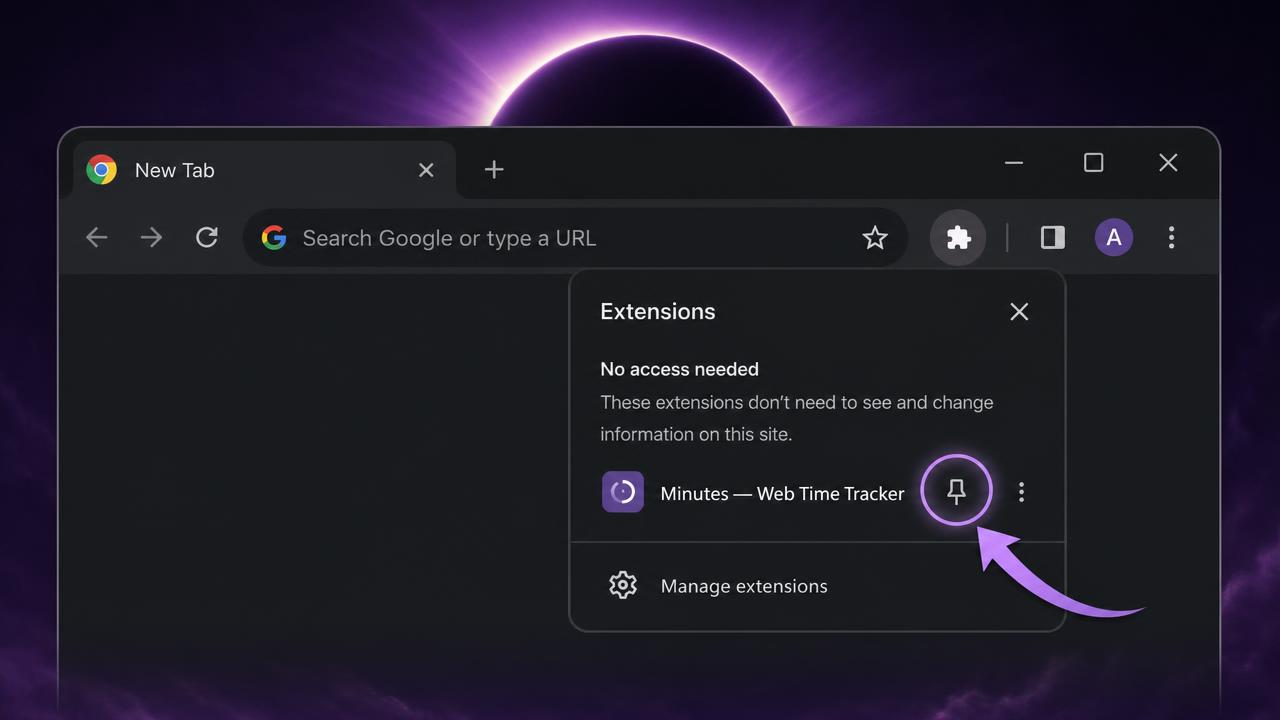
Pin Minutes from the puzzle-piece menu. Open the popup while signed in and it links to your account automatically — no token to copy.
No account yet? It works on its own; finished sessions land in your Log at their original times once you sign in.
Other browsers & help
Firefox: until the listing is live, open about:debugging#/runtime/this-firefox, click Load Temporary Add-on, and pick manifest.json in the unzipped folder. Firefox drops temporary add-ons on restart.
File: minutes-web-tracker-v3.27.0.zip
Stuck? Email wecare@justminutes.app or read the support page.